The hand builder recreates a double-board bomb pot seat by seat — antes, both boards, every action — and turns it into a link anyone can replay. It takes about two minutes. This walkthrough follows one hand from an empty table to a live replay link, and every screenshot below is that same hand.
Start at Share a hand and pick Build a hand manually.
1Set up the table
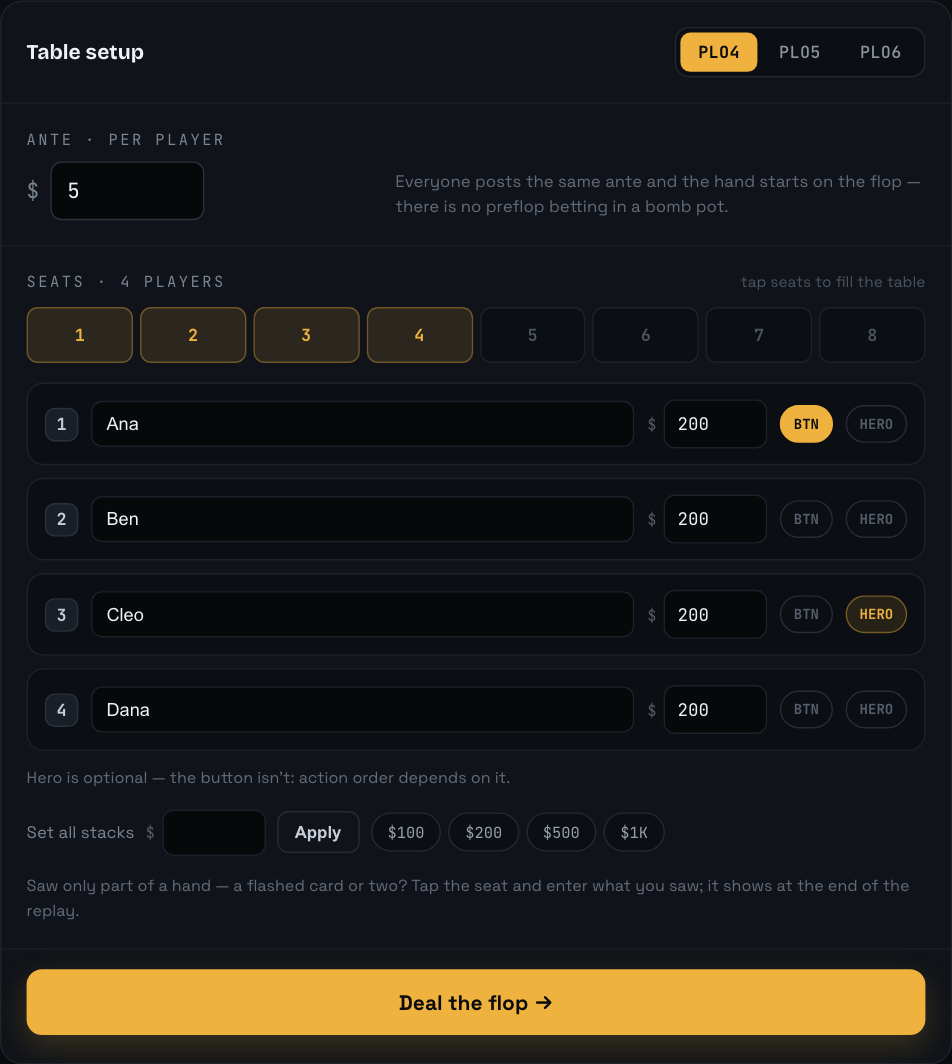
Choose the game — PLO4, PLO5 or PLO6 — and type the ante every player posted. That is the only amount the hand cannot start without: a bomb pot has no preflop betting, so the ante is the whole starting pot.
Tap seats on the table map to fill them. Each occupied seat gets a row with a name (prefilled — type over it) and a starting stack. To fill the stacks quickly, use the set-all field under the rows, or one of its presets. Stacks are optional in the sense that you can put in what you remember, but a stack is what makes the replay show what each player had behind.
Two pills sit on every seat row and they are not the same thing: the dealer button decides who acts when, and Hero just marks which seat is you.
IN THE APP
Hero is optional — the button isn’t: action order depends on it.
The Deal the flop button stays greyed until the setup is complete, and a single calm hint tells you what is missing.
Setup — the ante, who is in the hand, their stacks, and where the button is.
2Deal the boards, record the action
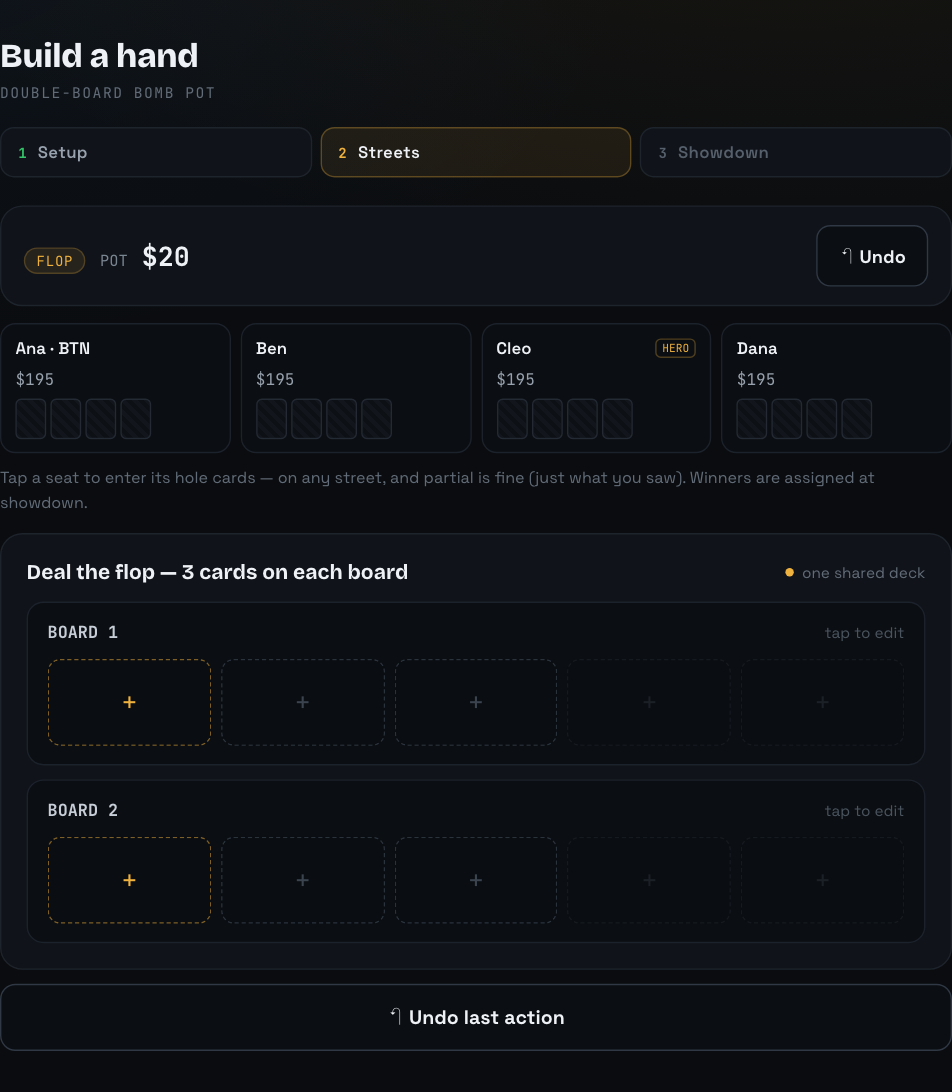
Every street opens with card entry. Both boards are dealt from one shared deck, so a card that lands on Board 1 can never appear on Board 2 — the picker greys out everything already dealt. The next slot each board needs is outlined; fill both boards and the recorder takes over on its own.
Every street opens here. The highlighted slot is the next card the street needs.
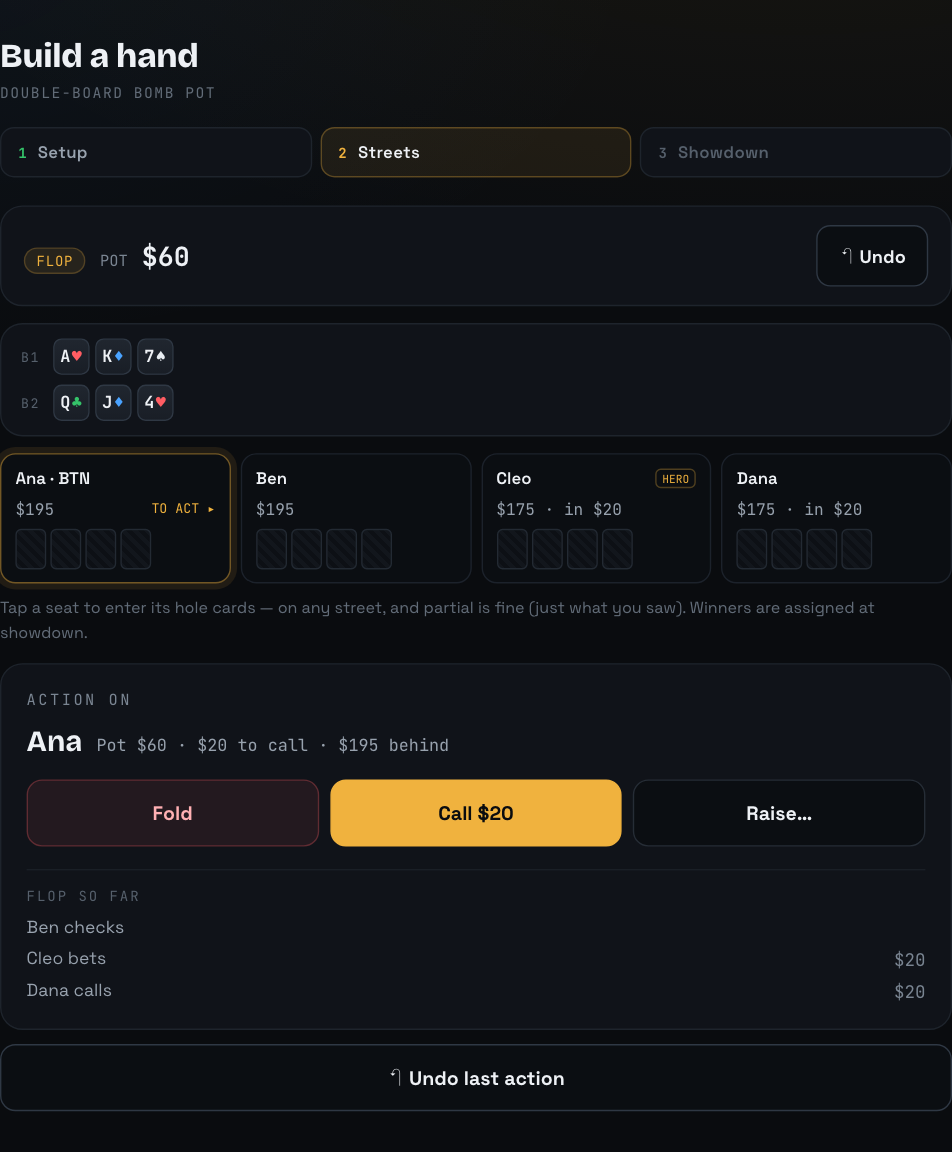
The action recorder names the player to act, shows the pot, what is to call and what they have behind, and offers only the moves that are legal for them. Tapping Bet… or Raise… opens an amount panel with the minimum and maximum spelled out and quick chips for the common sizes. Each recorded action joins the “{STREET} SO FAR” log underneath.
Got something wrong? Undo it
There are two Undo buttons and they do the same thing: one in the status strip at the top, one directly under the action log. Undo takes back the last action — as many times as you like, right back through earlier streets, which also takes back the board cards those streets dealt. Undo everything and you are back on the setup step with your seats, names and ante intact.
The recorder offers only the moves that are legal for the player to act. Undo sits under the log — and again up in the status strip.
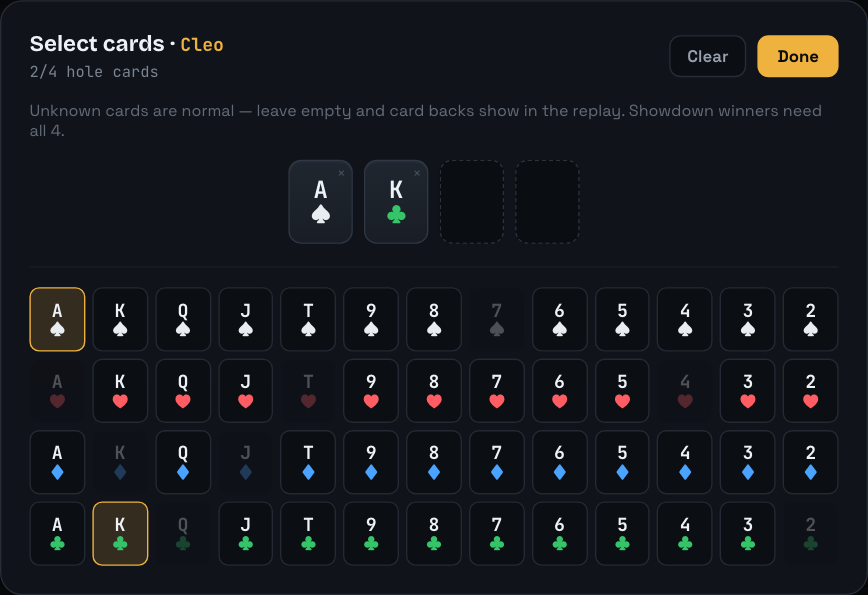
Hole cards can go in at any point — tap a seat chip mid-hand or leave them all to the showdown step. Partial hands are first-class:
IN THE APP
Tap a seat to enter its hole cards — on any street, and partial is fine (just what you saw). Winners are assigned at showdown.
Cards already dealt this hand are greyed out — one deck, so nothing can be picked twice.
3Assign the winners
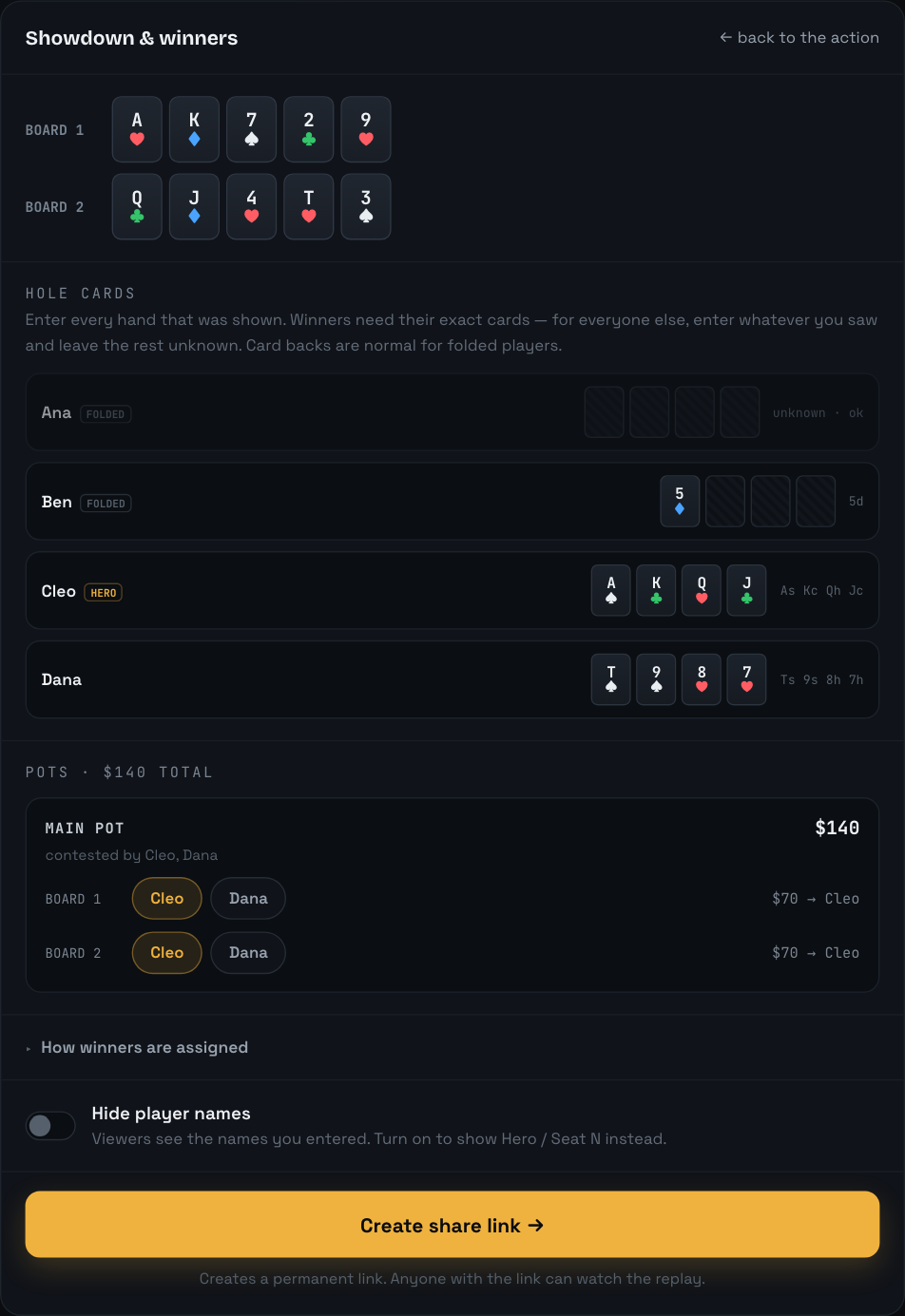
When the river betting closes — or the moment everyone but one player folds — the builder moves to the showdown step. There is no evaluator here: you say who won, which is the only way a replay can be honest about a hand you watched rather than played.
IN THE APP — “HOW WINNERS ARE ASSIGNED”
If everyone folded, there’s nothing to do — the last player standing takes the pot, and no cards are needed. If the hand went to showdown, you assign the winners yourself: every pot is listed for each board with the players who could win it — tap who won, or several names for a chop; main and side pots keep their own eligibility automatically. Winners need their exact hole cards (a replay that ends in a mystery isn’t much of a replay). For everyone else, enter whatever was shown — even a single flashed card — and leave the rest unknown.
Each board is worth its own half of the pot, so a hand can be split two ways, chopped, or scooped by one player winning both — which is what happened here.
One row per pot, per board. Tap who won; tap several names for a chop.
4Create the link
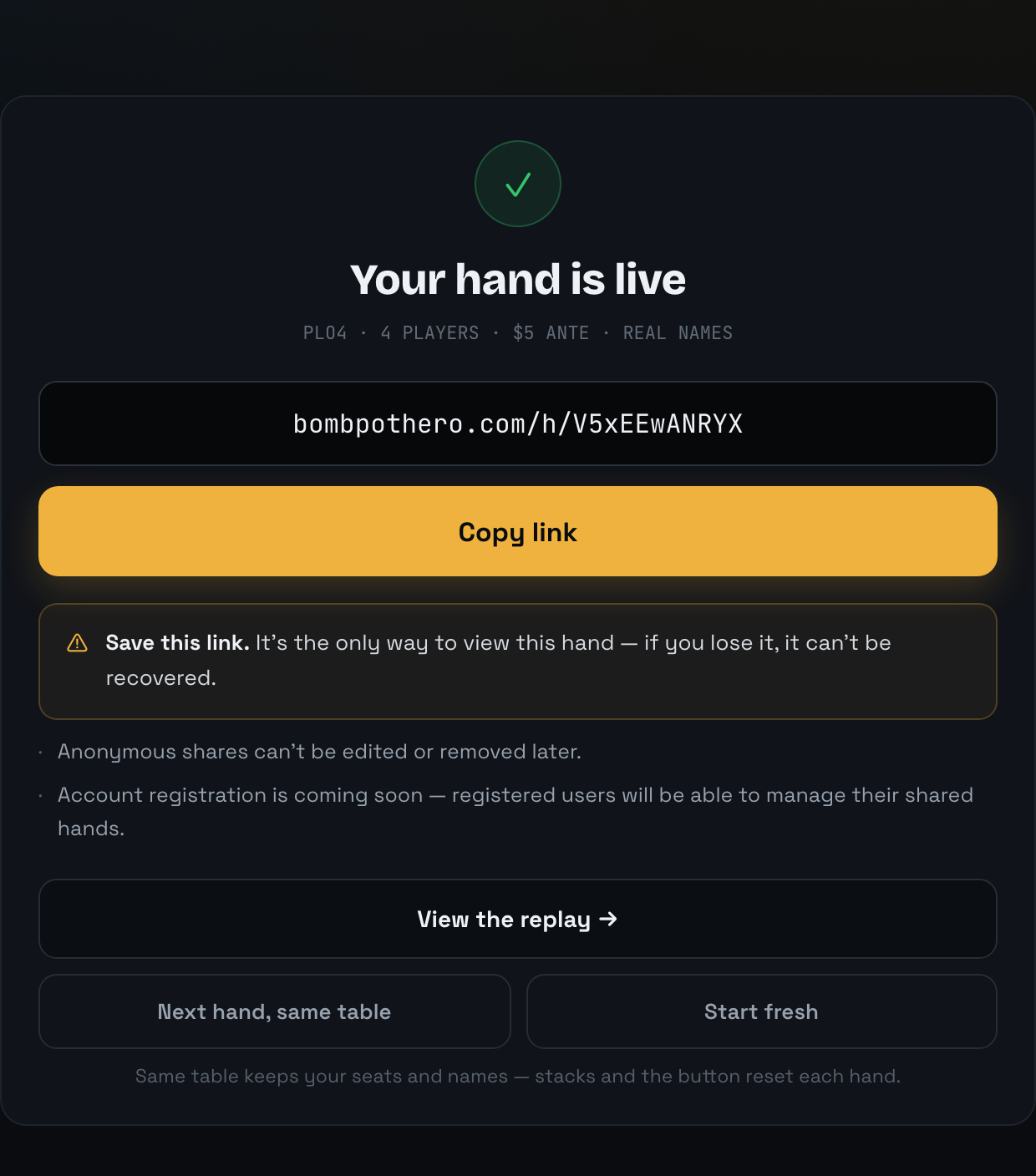
Create share link mints the hand’s permanent URL and drops you on the success screen with a one-tap Copy link. Send it to the table; anyone who opens it watches the hand play out street by street, both boards side by side.
IN THE APP
Save this link. It’s the only way to view this hand — if you lose it, it can’t be recovered.
Anonymous shares can’t be edited or removed later.
Account registration is coming soon — registered users will be able to manage their shared hands.
Two things follow from that, and they are worth knowing before you tap the button: keep the link somewhere you will find it again, and get the hand right before you create it — a share never changes afterwards. The builder’s Undo and the ← back to the action link on the showdown step are there for exactly that.
The success screen for this very hand — the link below is the one it produced.
See this exact hand as viewers do
The walkthrough above built one real hand. This is the link it produced — watch the replay →
Notes
I only saw part of a hand — can I still share it?
Yes. Hole cards are optional everywhere except for a showdown winner, who needs an exact hand. Enter whatever you saw, even a single flashed card, and leave the rest unknown; unknown cards show as card backs in the replay.
When can I enter hole cards?
On any street. Tap a seat chip while the hand is running, or fill the rows in on the showdown step at the end. It makes no difference to the finished replay.
Can I hide the player names?
Yes — a switch on the showdown step. With it on, viewers see Hero and Seat 1, Seat 2 and so on instead of the names you typed. It is set per share, before you create the link.
Can I edit a hand after sharing it?
No. A share is permanent: the link keeps working and its contents never change. If you got something wrong, build the hand again and share the new link.
Build your own
Two boards, seat by seat, about two minutes — and a link to send to the table.